October 8, 2026
Going on Vacation? Your Booking Page Keeps Working
Close your barbershop for a few days or weeks in two clicks. Clients see when you're back and can already book visits for after your return.
Going on Vacation? Your Booking Page Keeps Working
Every barber needs a break. Until now, going on vacation meant closing every day in your working hours and hoping clients didn't think you'd shut down for good. Now there's a proper vacation mode: close the shop for as long as you need, tell clients exactly when you're back, and keep collecting bookings for after your return.
Step 1 — Turn on vacation in two clicks
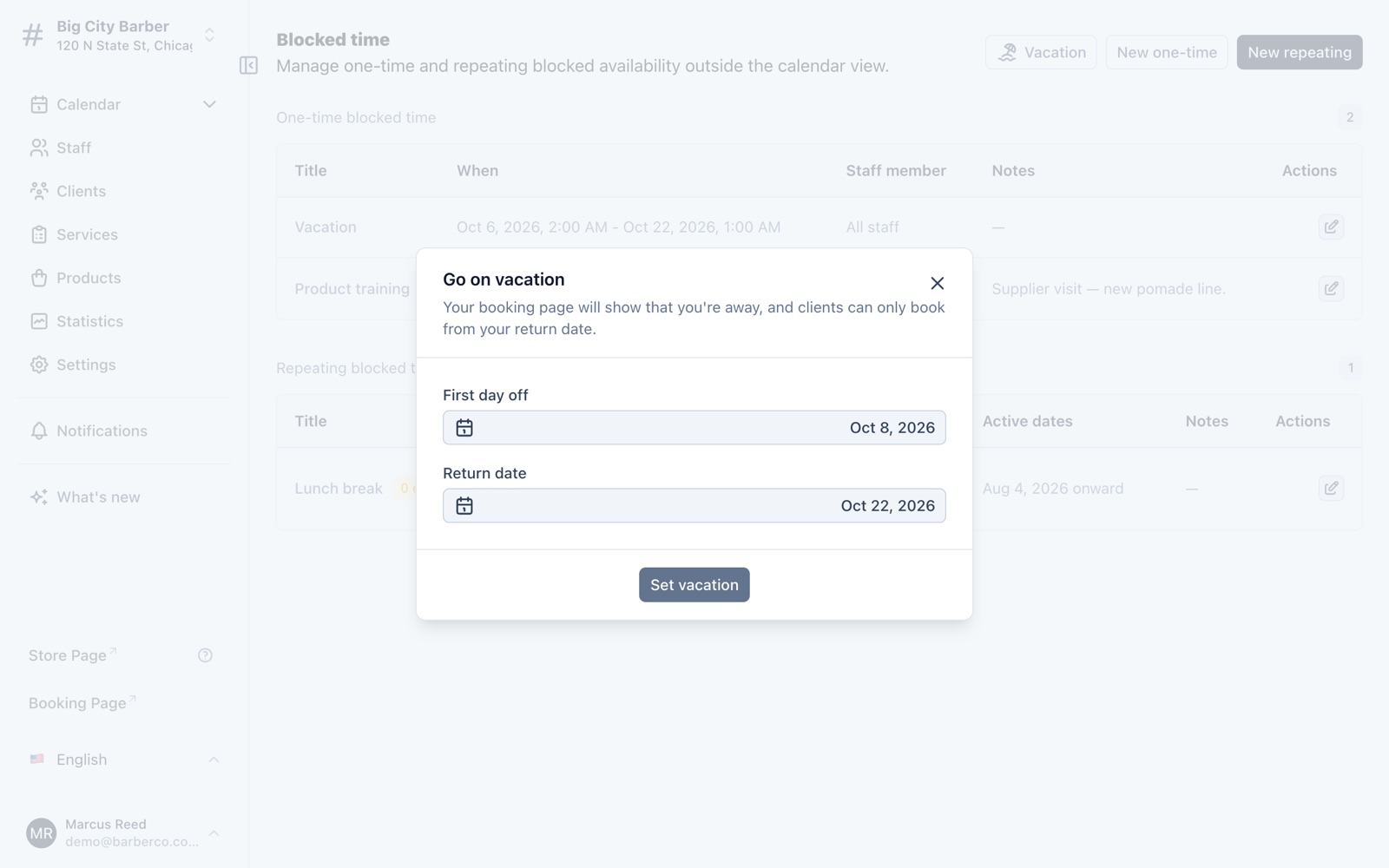
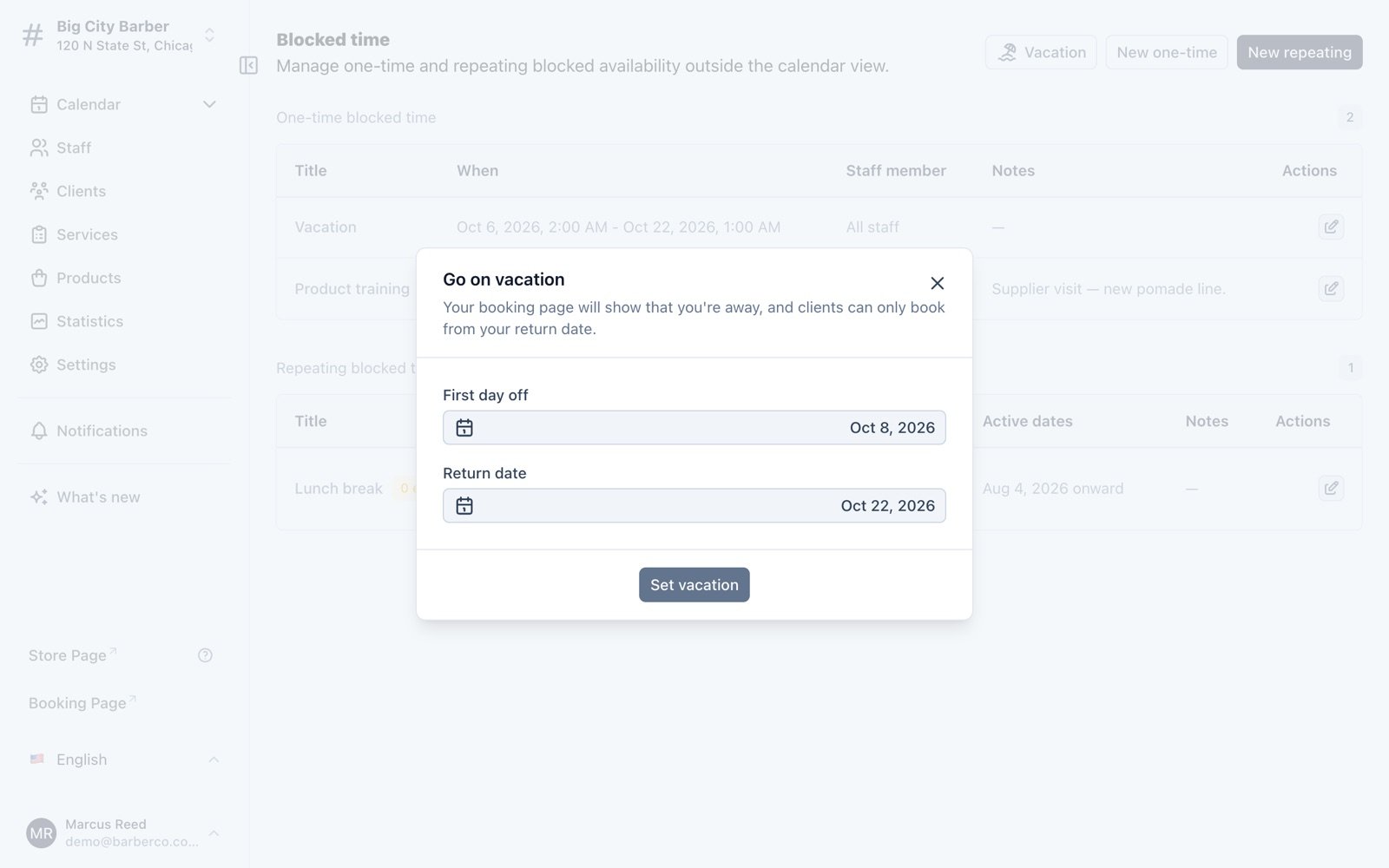
Open Calendar → Blocked time and tap Vacation. Pick your first day off and the day you're back, then hit Set vacation. That's it — your working hours stay exactly as they were, so there's nothing to restore when you return.
Step 2 — Clients see when you're back
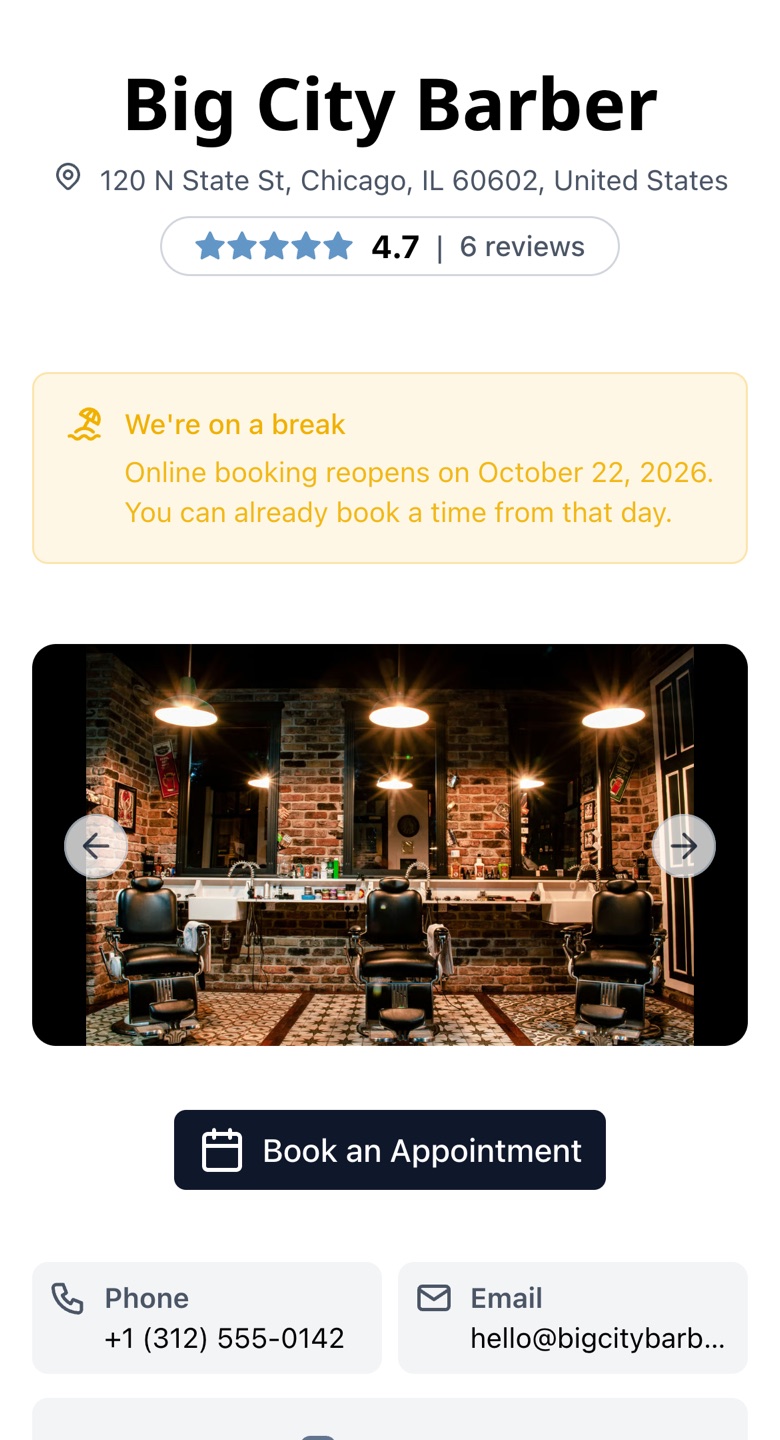
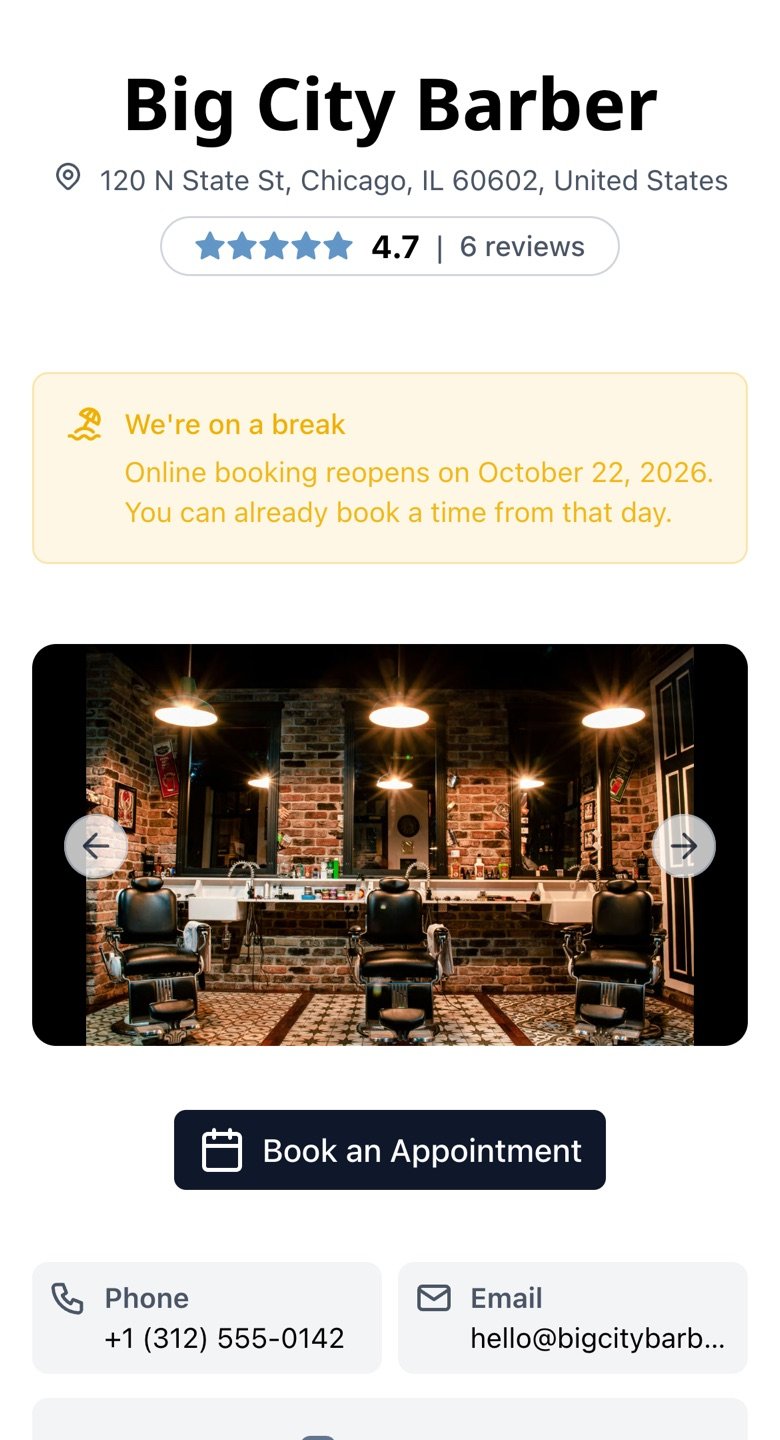
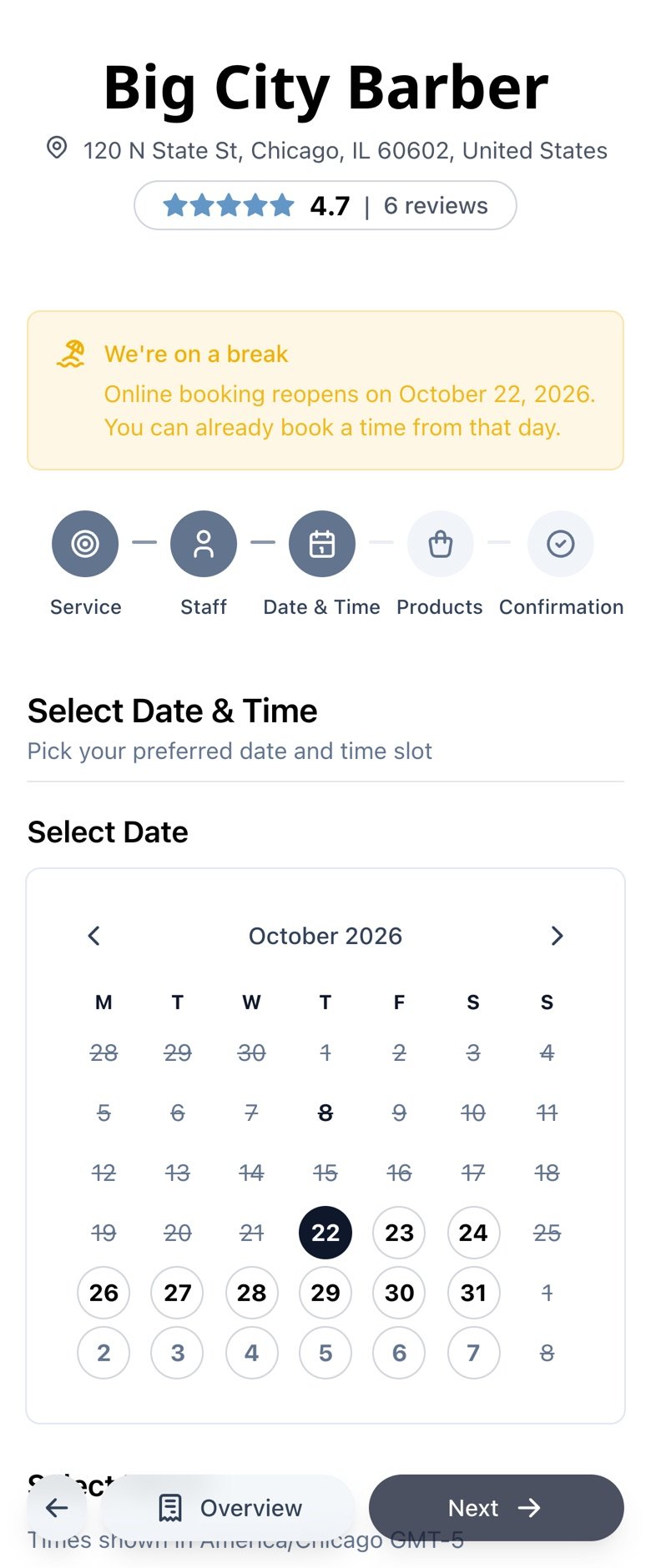
While you're away, your shop page and booking page show a clear notice with your return date. Clients don't wonder whether you've closed — they know exactly when you're back.
Step 3 — Bookings keep coming for after your return
Clients can book right away — the calendar opens on your return day, and your days off simply aren't available. You come back to a filled schedule instead of an empty week. The notice disappears on its own when your vacation ends.
Vacation mode is free and available to all TreatsMe users. Sign in to your dashboard to plan your next break.